


1、安装Howdy: howdy项目地址
sudo add-apt-repository ppa:boltgolt/howdy
sudo apt update
sudo apt install howdy
2、添加自己的face
sudo howdy add
报错:
Enter a label for this new model [Initial model] (max 24 characters): tiger
Camera path is not configured correctly, please edit the 'device_path' config value.
Exception ignored in: <bound method VideoCapture.__del__ of <recorders.video_capture.VideoCapture object at 0x7f6bc5be02b0>>
Traceback (most recent call last):
 File "/lib/security/howdy/recorders/video_capture.py", line 55, in __del__
  self.internal.release()
AttributeError: 'VideoCapture' object has no attribute 'internal'
解决方案:
$ sudo apt-get install v4l-utils
# 查看摄像头路径
$ v4l2-ctl --list-devices
USB 2.0 Camera: USB Camera (usb-0000:03:00.0-14):
 /dev/video0
$ sudo howdy config
# 接下来更改config中的device_path = /dev/video0
$ sudo howdy add
Adding face model for the user tiger
Enter a label for this new model [Initial model] (max 24 characters): tiger

Please look straight into the camera
Scan complete

Added a new model to tiger
3、测试
打开一个terminal
$ sudo -i
Identified face as tiger
$ sudo howdy test

Opening a window with a test feed

Press ctrl+C in this terminal to quit
Click on the image to enable or disable slow mode


Closing window
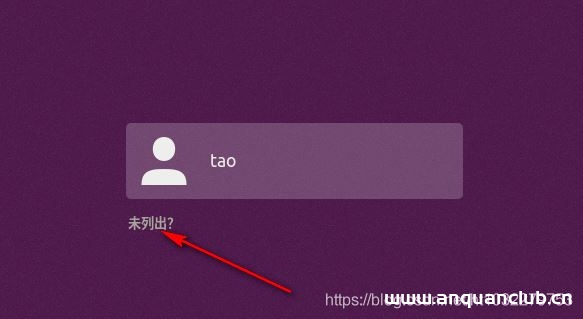
4、屏幕锁屏后,enter进入输密码界面,程序就会识别出人,直接解锁。
5、其它命令
Usage:
howdy [-U user] [-y] command [argument]
| Command | Description |
|---|---|
| add | Add a new face model for an user |
| clear | Remove all face models for an user |
| config | Open the config file in your default editor |
| disable | Disable or enable howdy |
| list | List all saved face models for an user |
| remove | Remove a specific model for an user |
| snapshot | Take a snapshot of your camera input |
| test | Test the camera and recognition methods |
| version | Print the current version number |
总结
到此这篇关于在Ubuntu中实现人脸识别登录的文章就介绍到这了,更多相关Ubuntu人脸识别登录内容请搜索安全小天地以前的文章或继续浏览下面的相关文章希望大家以后多多支持安全小天地!
© 版权声明
渗透云记的技术文章仅供参考,此文所提供的信息只为网络安全人员对自己所负责的网站、服务器等(包括但不限于)进行检测或维护参考,未经授权请勿利用文章中的技术资料对任何计算机系统进行入侵操作。利用此文所提供的信息而造成的直接或间接后果和损失,均由使用者本人负责。
渗透云记拥有对此文章的修改、删除和解释权限,如转载或传播此文章,需保证文章的完整性,未经允许,禁止转载!
本文所提供的工具仅用于学习,禁止用于其他,请在24小时内删除工具文件!!!访问本博客请务必遵守有关互联网的相关法律、规定与规则。一旦您访问本博客,即表示您已经知晓并接受了此声明通告。详情见本站的“免责声明”如果有侵权之处请第一时间联系我们删除。敬请谅解!E-mail:admin@encenc.com
THE END

相关推荐






请登录后查看评论内容